Keep your leads organized
Import contacts, work with lists, and keep company details alongside each prospect.
Lead managementSend cold emails that give people a reason to reply.
Zintara researches your prospects, writes personal emails, and automates every follow-up — so you can focus on booking meetings and closing deals.
Free Starter plan · 1 inbox · 500 emails / month
Better cold emails.
More real conversations.
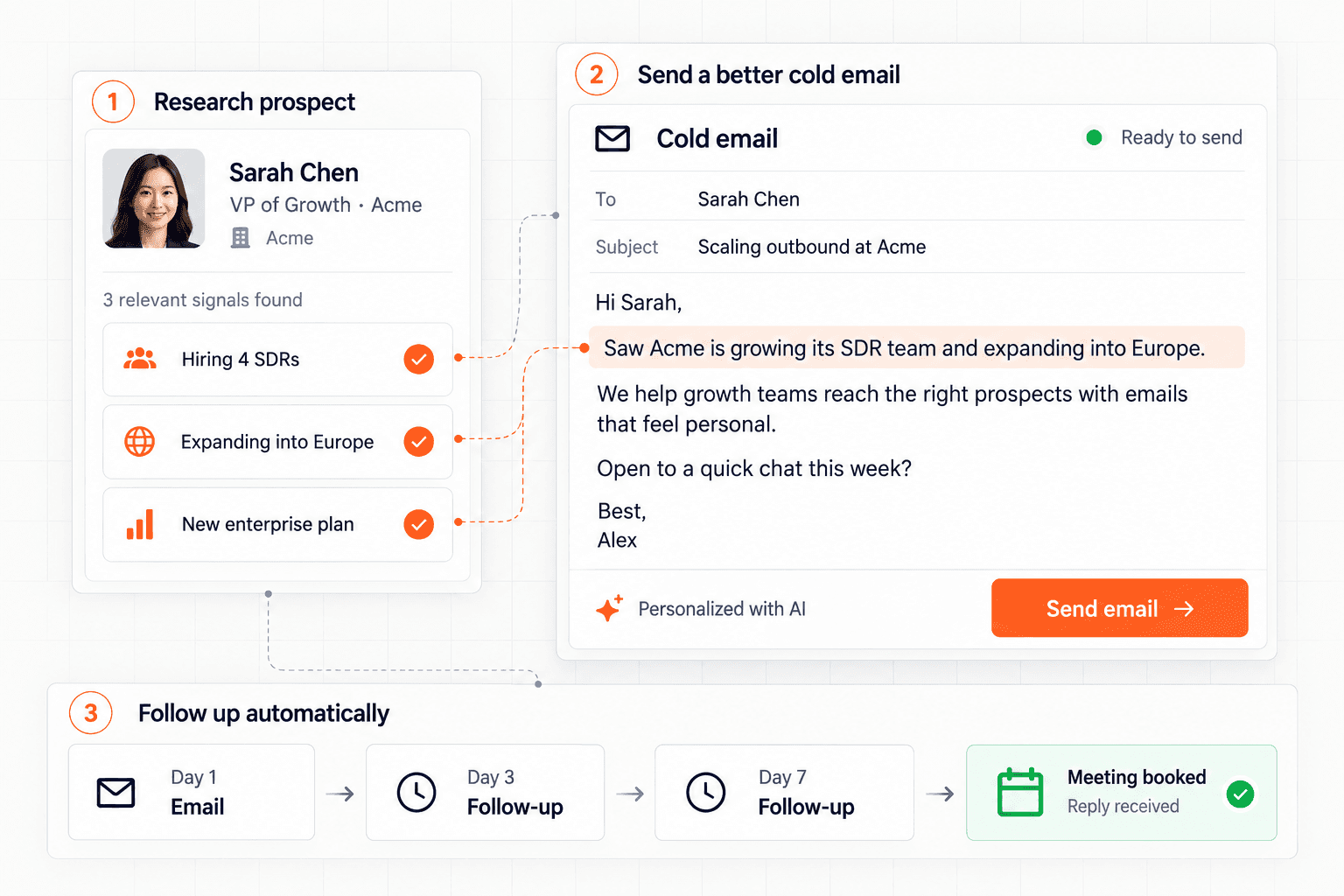
01 / A REASON TO REPLY
A name in a subject line is only the beginning. Use prospect research to find an opening that connects to their business.
Choose a company signal to see how it can shape a cold email.
Illustrative copy for a fictional company. These are examples, not live research or customer results.
Hi Sarah,
Saw you’re hiring SDRs at Acme. How are you helping new reps find a relevant reason to reach out?
We help sales teams bring prospect research, email writing, and follow-ups into one workspace.
Would it be useful if I shared how it works?
Best,
Alex
02 / FROM DRAFT TO SENT
Keep the moving parts together, from your first lead list to the next reply.
Import a CSV, organize your lists, and add the prospect details your emails need.
Use AI-assisted research and writing, then review the opening, offer, and ask.
Choose a mailbox, sending window, and follow-up delays before launching.
Read conversations in your inbox and use campaign reporting to decide what to change.
03 / THE TOOLS BEHIND THE EMAIL
Research, write, schedule, and reply without losing track of the conversation.
Import contacts, work with lists, and keep company details alongside each prospect.
Lead managementUse AI-assisted writing and icebreakers to turn available prospect context into an email you can review.
AI email writerBuild multi-step sequences with delays and configure campaigns to stop follow-ups when a reply arrives.
Email sequencesRead and respond to conversations from connected mailboxes inside your workspace.
Unified inboxSet daily limits, sending windows, and campaign time zones to control the pace of your outreach.
Sending controlsReview sent volume, tracked opens, clicks, and replies to inform your next campaign.
Campaign reporting04 / ROOM TO GROW
Connect one inbox on the free plan. Compare paid plans when you need more accounts or team features.
Get started with cold outreach.
Free
No paid subscription
Start freeFor growing teams running real volume.
$69 / month
$660 billed annually with annual billing
Review GrowthFor scale and agencies.
$139 / month
$1,330 billed annually with annual billing
Review ProPrices shown in USD. Confirm final pricing, taxes, and billing interval at checkout. Mailbox-provider policies and configured sending limits apply, including on plans with unlimited emails.
Questions about a plan? Talk to usBEFORE YOUR FIRST SEND
Need help choosing a plan or setting up your outreach?
Talk to usYes. The Starter plan includes one sending inbox and 500 emails per month without a paid subscription. Growth and Pro are paid plans; review their prices and terms before subscribing.
You connect your own sending mailbox. Your mailbox provider’s policies and sending limits still apply alongside the limits you configure in Zintara.
AI-assisted research and writing use available prospect and company context to help draft icebreakers and emails. Review the facts, wording, and relevance before including a draft in your campaign.
Yes. Configure sequence delays, campaign time zones, sending windows, and daily limits. You can also enable stop-on-reply so a response stops that lead’s follow-ups.
No. Delivery and responses depend on factors including your domain reputation, mailbox provider, recipient list, and message. Sending controls help you manage outreach, but they cannot guarantee inbox placement, replies, or meetings.
The plan catalog lists one inbox for Starter, up to 10 for Growth, and unlimited inboxes for Pro. Sending limits and mailbox-provider policies still apply.
YOUR NEXT COLD EMAIL STARTS HERE
Bring your leads. Find a relevant opening. Build your first sequence.
Starter includes 1 inbox and 500 emails per month.